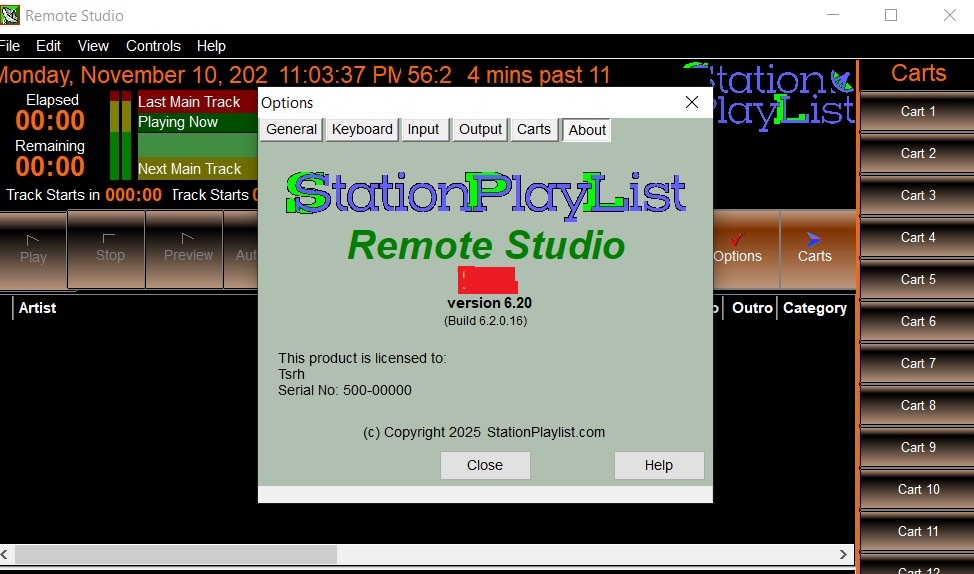
SPLRemote Studio: Features, Benefits, and Remote Radio Station Management
SPLRemote Studio is a remote-control solution designed for radio broadcasters who use StationPlaylist software. It provides a convenient way to manage essential broadcasting functions without always being physically present at the studio computer.
For radio professionals, remote access can improve flexibility, simplify daily operations, and support more efficient station management. Understanding SPLRemote Studio’s capabilities helps broadcasters determine whether it fits their technical requirements.
What Is SPLRemote Studio?
SPLRemote Studio, commonly associated with SPLRemote, is a remote-control application developed for users of StationPlaylist Pro. It allows compatible devices to communicate with a StationPlaylist server and control supported broadcasting functions remotely.
The software is particularly relevant to radio presenters, station operators, and broadcasting teams who need additional flexibility when managing their radio automation systems.
Key Features of SPLRemote Studio
SPLRemote Studio focuses on making remote radio station management more convenient. Its functionality depends on the compatible StationPlaylist version, server configuration, and supported controls.
1. Remote Station Control
The primary benefit is the ability to control supported StationPlaylist functions from a remote device. This can help broadcasters manage studio operations without remaining directly beside the main playout computer.
2. StationPlaylist Pro Compatibility
SPLRemote is designed to work with StationPlaylist Pro, providing communication with the broadcasting software through its remote-control capabilities. Users need a compatible Pro installation to access the supported functionality.
3. Network-Based Communication
The application communicates with the StationPlaylist server over a network connection. This arrangement allows compatible devices to access supported controls through an appropriately configured network.
4. Flexible Broadcasting Management
Remote access can make certain broadcasting tasks easier to manage. Presenters and station administrators can benefit from greater operational flexibility, particularly when they need to access supported studio controls away from the main workstation.
5. Configurable Server Connection
Users can configure the server address and communication port within the application. Correct configuration helps establish communication between the remote device and the StationPlaylist Pro installation.
Benefits of Using SPLRemote Studio
Improved Operational Flexibility
Radio broadcasting often requires quick adjustments and continuous coordination. Remote-control functionality can provide additional flexibility, helping authorized operators manage supported functions without depending entirely on physical access to the studio.
Convenient Studio Management
A remote-control application can simplify certain operational activities. Instead of repeatedly returning to the main workstation, broadcasters can use a compatible device to access supported controls through the configured network.
Better Workflow Efficiency
Remote access can reduce unnecessary movement between workstations and make routine broadcasting tasks more convenient. This is particularly useful for small radio stations where employees may handle multiple responsibilities.
Support for Modern Broadcasting Environments
Network-based control complements modern radio workflows. It can provide another way to interact with existing broadcasting infrastructure without necessarily replacing the station’s established automation software.
Technical Requirements and Setup
Compatible Software
SPLRemote requires StationPlaylist Pro version 5.11 or later. The Pro edition is necessary because it includes the remote-control capability required by the application.
Network Configuration
The StationPlaylist TCP Server must be enabled, and the configured communication port must be accessible through the relevant firewall settings. SPLRemote uses the TCP Server rather than the Studio Monitor Server.
Security Considerations
For security, connecting directly over the public internet is not recommended. A secure virtual private network (VPN) is the recommended approach for accessing a remote StationPlaylist server.
Is SPLRemote Studio Right for Your Radio Station?
SPLRemote Studio may interest broadcasters who already use StationPlaylist Pro and need remote access to supported studio controls. Its usefulness depends on compatibility, network infrastructure, and individual broadcasting requirements.
However, availability is an important consideration: SPLRemote was removed from sale on August 31, 2023. Prospective users should verify current availability and support before planning an implementation.
Final Thoughts
SPLRemote Studio represents a practical approach to remote radio station control for compatible StationPlaylist users. Its network-based functionality, operational flexibility, and integration with StationPlaylist Pro make it a relevant topic for broadcasters exploring remote studio management.