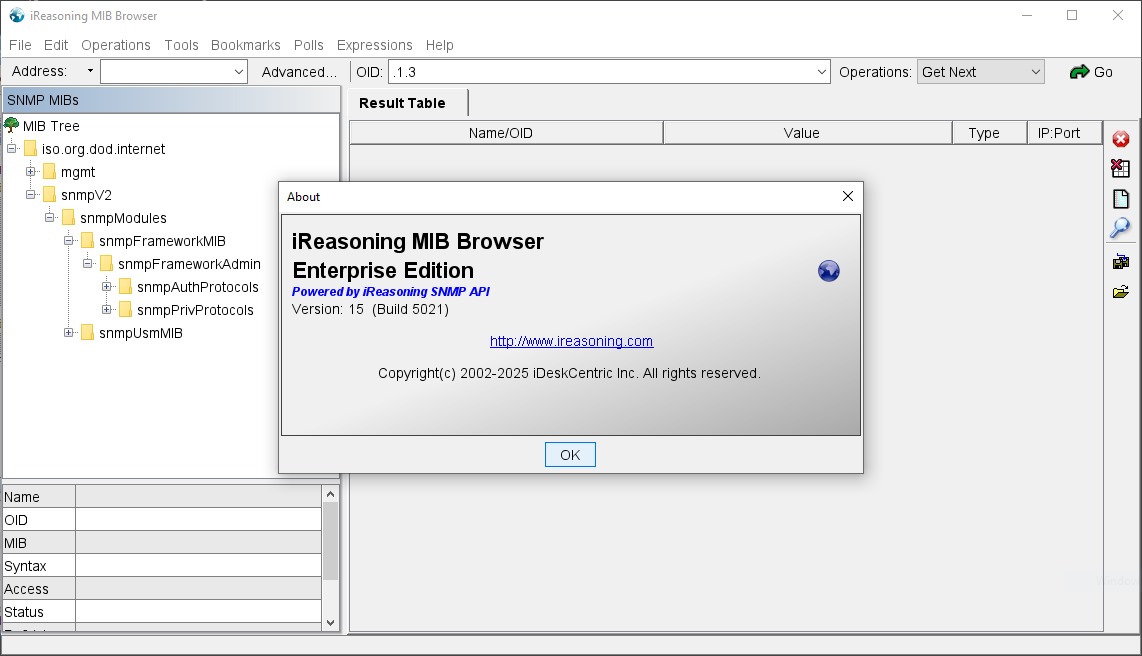
iReasoning MIB Browser Enterprise: Powerful SNMP Network Management Software
iReasoning MIB Browser Enterprise is a professional network management tool designed to help IT administrators, network engineers, and system administrators monitor and troubleshoot SNMP-enabled devices. It simplifies network diagnostics, supports efficient device management, and helps professionals analyze network performance with greater accuracy.
What Is iReasoning MIB Browser Enterprise?
iReasoning MIB Browser Enterprise is an SNMP management application that allows users to communicate with network devices, retrieve management information, and examine device configurations. It helps administrators work with Management Information Bases (MIBs) to understand network behavior and identify potential problems.
Businesses managing routers, switches, servers, firewalls, and other SNMP-compatible equipment can use this software to streamline network monitoring tasks. Its practical interface makes complex SNMP operations more accessible to both experienced engineers and technical teams.
Key Features of iReasoning MIB Browser Enterprise
The software offers several capabilities that support network monitoring, troubleshooting, and device administration. These features help users gather information, investigate issues, and manage SNMP-based infrastructure more efficiently.
1. Comprehensive SNMP Operations
iReasoning MIB Browser Enterprise supports essential SNMP operations, including GET, GET NEXT, GET BULK, SET, and WALK, subject to the supported protocol version. These functions help administrators retrieve device information, explore management data, and modify supported parameters when authorized.
2. Advanced MIB Management
The software allows users to load and explore MIB files, which describe the objects available for monitoring on supported devices. By organizing management information into readable structures, it becomes easier to locate specific parameters and understand device capabilities.
3. Network Device Troubleshooting
Network professionals can query SNMP-enabled devices to investigate connectivity issues, examine interface statistics, and identify unusual values. This information supports faster troubleshooting and helps technical teams make informed decisions when diagnosing network performance problems.
4. User-Friendly Interface
The graphical interface helps users navigate MIB trees, select object identifiers, and inspect returned values without relying entirely on command-line tools. This can make routine SNMP testing more convenient and reduce the learning curve for new users.
5. Support for Enterprise Environments
Enterprise network environments often contain devices from multiple manufacturers. A MIB browser helps administrators examine SNMP information across compatible equipment, providing a consistent approach to device diagnostics and management.
Benefits of Using iReasoning MIB Browser Enterprise
Choosing the right SNMP browser can improve the efficiency of everyday network administration. iReasoning MIB Browser Enterprise helps IT teams access device information, investigate technical issues, and simplify management information analysis.
Improved Network Visibility
Access to SNMP objects gives administrators a clearer view of available device metrics, including supported interface statistics and system information. Better visibility helps teams understand network conditions and investigate potential performance concerns.
Faster Technical Troubleshooting
Instead of manually searching through device documentation for every parameter, administrators can explore MIB structures and query relevant objects. This approach can shorten diagnostic workflows and help teams isolate problems more efficiently.
More Efficient IT Workflows
A dedicated MIB browser brings common SNMP crack 2026 testing activities into one application. Network engineers can inspect values, test supported operations, and validate device responses without switching repeatedly between unrelated tools.
Who Should Use iReasoning MIB Browser Enterprise?
Network Administrators and Engineers
Professionals responsible for maintaining routers, switches, servers, and other network infrastructure can use the software to investigate device information and troubleshoot SNMP-related issues.
IT Service Providers and Enterprises
Managed service providers, corporate IT departments, and network support teams can benefit from a dedicated tool for examining SNMP objects across supported devices and environments.
Choosing the Right MIB Browser for Your Business
Evaluate Compatibility and Security
Before deployment, verify compatibility with your SNMP versions, device MIB files, and operating environment. Review authentication requirements and access controls, and use secure SNMP configurations wherever supported.
Make Network Management More Effective
iReasoning MIB Browser Enterprise is a practical solution for professionals who need detailed access to SNMP management information. Its MIB exploration and device-query capabilities can support better troubleshooting, streamlined workflows, and more informed network administration decisions.